How OIDC sign-in works
The Web Console signs a user in with the Authorization Code Flow with PKCE. This page follows that exchange end to end, from the code verifier the client generates to the permission check QuestDB runs on the user's group memberships. Read it when you are integrating your own browser client, or debugging a sign-in that fails partway through.
Authentication and authorization flow
The OAuth2/OIDC standard defines different ways of obtaining access and ID tokens from the OIDC Provider, referred to as the "flow".
The goal of this flow is to get the user, who is sitting in front of the Web Console, authenticated.
Then, it allows QuestDB to determine the user's permissions based on user information provided by the Identity Providers.
Specifically, the QuestDB Web Console uses the
Authorization Code Flow with PKCE option.
It consists of ten steps...
1. Secret generation
First the Web Console generates a cryptographically strong random secret called the code verifier.
The secret is hashed using the SHA256 algorithm. The result is the code challenge.
After PKCE initialization the Web Console requests an authorization code from the OIDC Provider.
It calls the Authorization endpoint with a few parameters, including the:
- Client Id
- requested scopes (the list of scopes are configurable, default is
openidonly) - code challenge
- algorithm used to generate the code challenge from the code verifier (SHA256)
When the Authorization Server receives the request, it checks if the user has been authenticated already:
-
If the user has a valid session, it can be provided with an authorization code straight away, so we jump to step 4.
-
If the user does not have a valid session yet, it will be redirected to the Identity Provider for authentication.
https://oidc.provider:443/as/authorization.oauth2?client_id=questdb&response_type=code&scope=openid&redirect_uri=https%3A%2F%2Fquestdb.example.com%3A9000&code_challenge=IwZ-WuypAY3fMtvismbj1MQUe5CzMgrBa87nYcgFoLQ&code_challenge_method=S256
Some Identity Providers require the state parameter in the authorization
request. It is another random value generated by the client, which the OIDC
Provider returns unchanged together with the authorization code. Checking it
protects against CSRF attacks.
If your provider requires it, set
acl.oidc.state.required to
true. The Web Console then
generates the state parameter, sends it in the authorization request, and
validates the value returned by the provider.
2. Prove identity
Next, the user must prove its identity.
This could be a username with:
- a password,
- an OTP
- facial recognition via a mobile app
- or anything else supported by the Identity Provider.
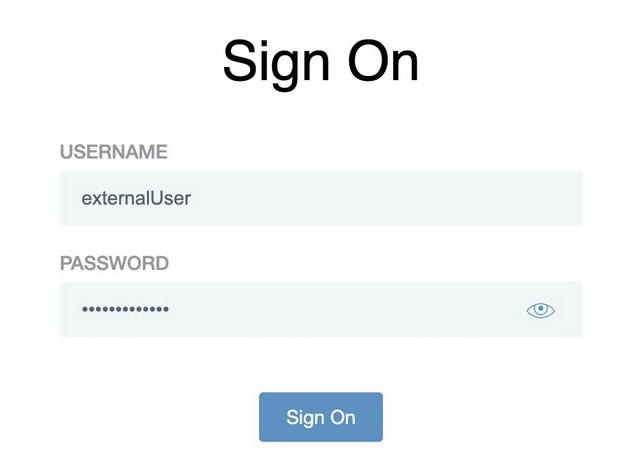
3. Scope consent
After successful authentication, the user provides consent for the requested scopes.
The list of scopes is configurable with
acl.oidc.scope.
By default the Web Console requests only the openid scope, which is mandatory
for OIDC.
No ID Token is issued without it.
A provider may require offline_access, explicit consent, or another policy
before issuing a refresh token. Requesting a refresh-token scope does not
guarantee that the provider returns one.
The OIDC provider can be configured to provide the consent automatically, without presenting the user with an additional screen in the browser.
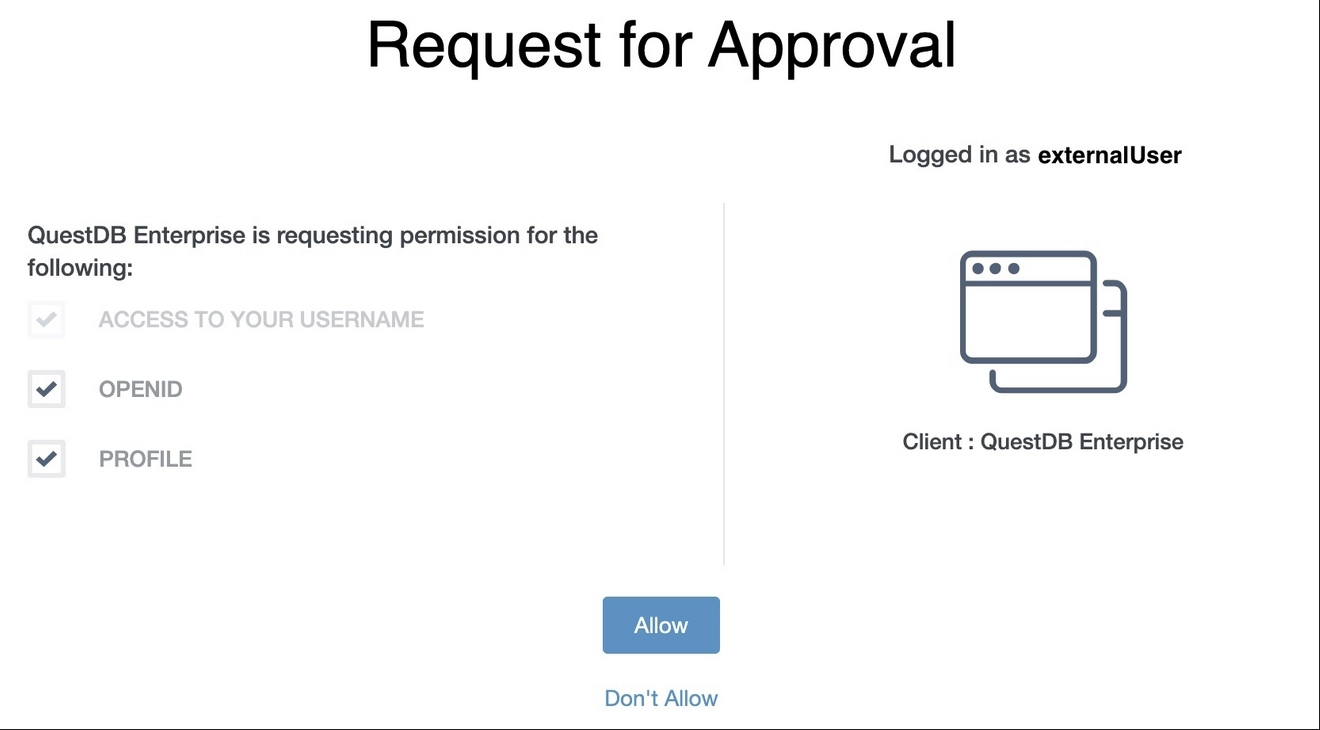
4. Redirection
Consent is granted!
The Authorization Server redirects the user back to the Web Console with the authorization code:
https://questdb.example.com:9000/?code=1L344XEY5XRka1j4ySNa8bVQSLf71as9uGLEuv_A
5. Credential request
Now, the QuestDB Web Console requests the ID and access tokens from the Token endpoint of the OIDC Provider with the authorization code.
It includes the Client ID and the PKCE code verifier together with the authorization code in the request.
The endpoint then hashes the code verifier using the method specified previously in step 1.
The result must match the code challenge, also provided in step 1.
The matching code challenge proves that the token is requested by the client which requested the authorization code, and it was not stolen:
curl --request POST https://oidc.provider:443/as/token.oauth2 \
  --header "Content-Type: application/x-www-form-urlencoded" \
  --data-urlencode "grant_type=authorization_code" \
  --data-urlencode "code=1L344XEY5XRka1j4ySNa8bVQSLf71as9uGLEuv_A" \
  --data-urlencode "client_id=questdb" \
  --data-urlencode "redirect_uri=https://questdb.example.com:9000" \
  --data-urlencode "code_verifier=uGZh4sQffXLgRna7D-jtEAkuXzp7Lm_okZXBljzP38coAD44kEheIaz7Pdh98KxYtYLZHNiQPCczQYeF"
6. Credentials received
If the PKCE check passes, the Web Console receives the ID and access tokens. The provider may also return a refresh token when its scopes, consent, and policy allow one.
When present, the Web Console uses the refresh token to obtain replacement tokens without asking the user to sign in again. Without one, the user must authenticate again after the current tokens can no longer be used.
Token lifetimes are configurable in the OIDC Provider.
{
  "access_token": "gslpJtzmmi6RwaPSx0dYGD4tEkom",
  "refresh_token": "FUuAAqMp6LSTKmkUd5uZuodhiE4Kr6M7Eyv.eg83ge",
  "id_token": "eyJhbGciOiJSUzI1NiIsImtpZCI6I...",
  "token_type": "Bearer",
  "expires_in": 300
}
expires_in is measured in seconds. The refresh_token field is absent when
the provider does not issue one.
7. Database access
With the tokens, the Web Console can interact with the database.
A token is in the header of every request sent to QuestDB. Which of the two goes there depends on where QuestDB reads the group memberships from, see Which token to send.
Worried about exposing the token? An access token is usually opaque and carries no user details, though some providers issue a JWT here too. An ID token always does: it is a JWT whose payload is base64 encoded, not encrypted, so treat it as you would the user's directory record.
To carry out permission checks, the database has to know more about the user.
For this, QuestDB has a User Info Cache.
Steps 8 and 9 describe the default flow, where QuestDB validates the access
token by asking the OIDC Provider about it. They are skipped when the cache
already holds a valid entry for the token, and they do not happen at all when
acl.oidc.groups.encoded.in.token
is true, in which case QuestDB validates the ID token itself and never calls
the provider. See Which token to send.
GET /api/v1/sql/execute?query=select%20current_user() HTTP/1.1
Host: questdb.example.com:9000
Authorization: Bearer gslpJtzmmi6RwaPSx0dYGD4tEkom
8. Find user information
No user information in the cache, or stale information?
QuestDB uses the access token to request user information from the OIDC Provider's User Info endpoint.
This call also serves as token validation.
If the token is not real or has been expired, the User Info endpoint replies with an error:
GET /idp/userinfo.openid HTTP/1.1
Host: oidc.provider:443
Authorization: Bearer gslpJtzmmi6RwaPSx0dYGD4tEkom
9. Receive user information
If the access token is valid, QuestDB receives the required user information from the endpoint, then updates its cache.
The cache improves performance, as QuestDB does not have to turn to the OIDC Provider on every single request.
Do note that cache expiry is configurable:
{
  "sub": "externalUser",
  "name": "External User",
  "groups": [
    "CN=TestGroup1,OU=DC Users,DC=ad,DC=quest,DC=dev",
    "CN=TestGroup2,OU=DC Users,DC=ad,DC=quest,DC=dev"
  ]
}
10. Permission check
With the help of the user information, QuestDB can carry out permission checks.
If the permission check is successful, the database will process the request, and then sends the results back:
{
  "query": "select current_user()",
  "columns": [
    {
      "name": "current_user",
      "type": "STRING"
    }
  ],
  "dataset": [["External User"]],
  "count": 1,
  "timestamp": -1
}
See also
- Client discovery and tokens - the settings the Web Console and other clients discover
- Mapping OIDC groups and permissions - turn the final group claim into QuestDB permissions
- OIDC settings reference - configure the browser flow and provider endpoints